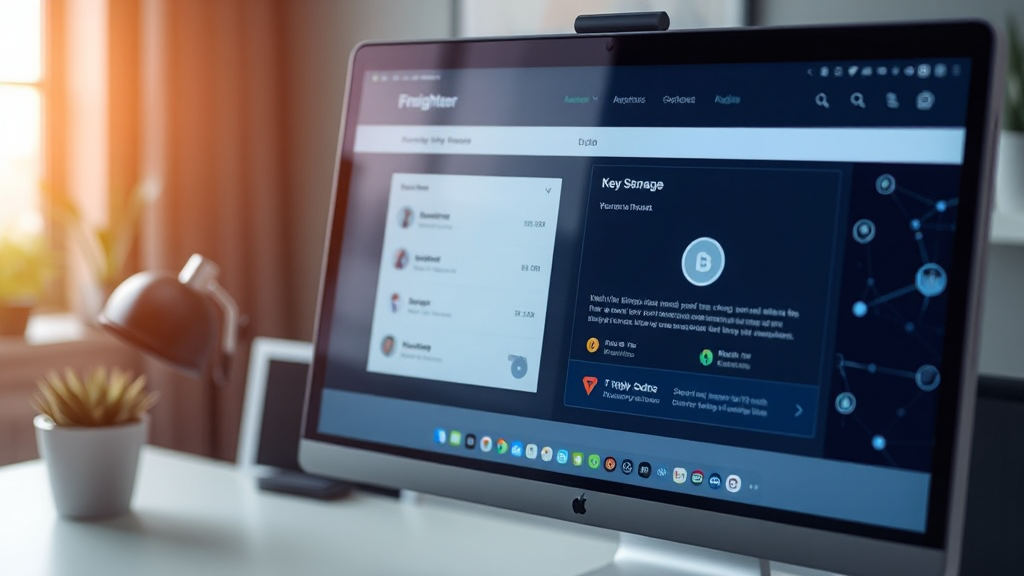
How the Freighter Wallet Simplifies Stellar Asset Management
Managing digital assets on the Stellar network has never been more straightforward, thanks to tools like the freighter wallet. As blockchain technology continues to evolve, users need a secure and user-friendly interface to interact with decentralized applications and handle their cryptocurrency holdings. Freighter has emerged as a leading solution in this space, offering a non-custodial wallet that puts users in full control of their funds. In this article, we will explore the key features, benefits, and practical use cases of Freighter, and how it simplifies asset management on Stellar.
What is the Freighter Wallet?
Freighter is a non-custodial browser extension and mobile wallet designed specifically for the Stellar blockchain. It allows users to send, receive, and store Stellar-based assets such as XLM and USDC, as well as interact with a growing ecosystem of Stellar applications. Unlike custodial wallets, Freighter ensures that users retain ownership of their private keys, which are stored locally on their device. This approach significantly reduces the risk of funds being lost due to a centralized exchange hack or mismanagement.
The wallet is available as a browser extension for Chrome, Firefox, and Edge, as well as a mobile app for iOS and Android. This cross-platform availability ensures that users can manage their assets from virtually any device. Freighter is built by the team behind Stellar, which adds a layer of trust and reliability for users seeking a wallet that is deeply integrated with the network’s ecosystem.
Key Features of the Freighter Wallet App
The freighter wallet app comes packed with features that cater to both beginners and experienced crypto users. One of its standout features is the ability to connect to Stellar-based decentralized applications (dApps) seamlessly. Whether you are using an AMM like Soroban-based platforms or a crowdfunding site, Freighter acts as a bridge, allowing you to sign transactions and interact with smart contracts directly from your browser.
Another notable feature is the integrated swap functionality. Users can exchange assets within the wallet without needing to visit a separate exchange. This is particularly useful for those who want to quickly convert between XLM and USDC or other Stellar tokens. The wallet also supports the creation and management of multiple accounts, making it easy to organize personal and business funds separately.
Security is a top priority for Freighter. The wallet includes optional biometric authentication on mobile devices, and users are encouraged to back up their recovery phrase in a safe place. Because it is non-custodial, there is no central server that holds your funds, which minimizes the risk of theft. Additionally, Freighter is open source, meaning that its code is publicly auditable, a feature that appeals to security-conscious users.
How to Get Started with Freighter
Getting started with Freighter is a simple process. First, you need to download the wallet from the official website or your browser’s extension store. After installation, you will be prompted to create a new wallet or import an existing one. When creating a new wallet, you will be given a 12-word recovery phrase that you must store securely. This phrase is the only way to regain access to your funds if you lose your device, so it is crucial to write it down and keep it offline.
Once your wallet is set up, you can fund it by sending XLM or other Stellar assets to your public address. Freighter displays your public key, which you can share with others to receive payments. Alternatively, you can purchase XLM directly through the wallet using a bank card or other payment methods, depending on your region. The user interface is intuitive, with a clean dashboard that shows your asset balances and recent transactions.
For those who want to explore Stellar apps, Freighter makes it easy to connect with just a few clicks. When you visit a dApp, you will see an option to connect your wallet; clicking it will prompt Freighter to ask for your permission. Once connected, you can authorize transactions and interact with the app’s features. This streamlined process is a significant advantage over having to manually copy and paste transaction details.
Why Choose Freighter for Stellar Transactions?
There are several reasons why Freighter stands out among other Stellar wallets. First, its deep integration with the Stellar network ensures that you have access to the latest features and improvements. The wallet is constantly updated to support new developments, such as Soroban smart contracts, which are becoming increasingly popular for building decentralized applications on Stellar.
Second, Freighter’s user experience is designed with simplicity in mind. Even if you are new to blockchain, you can quickly learn how to send and receive assets, track your portfolio, and interact with dApps. The wallet provides clear transaction details and confirmation screens, reducing the risk of accidental errors.
Third, Freighter is community-driven and open source. This means that developers can contribute to its codebase, report issues, and suggest improvements. As a result, the wallet benefits from collective scrutiny, which helps identify and fix vulnerabilities promptly. For users, this translates into a more secure and reliable product.
The Role of Freighter in the Stellar Ecosystem
The Stellar network is designed to facilitate fast and low-cost cross-border payments, and Freighter plays a crucial role in making this accessible to everyday users. By providing a user-friendly gateway, Freighter helps bridge the gap between traditional finance and blockchain technology. For example, a small business owner can use Freighter to receive payments in USDC from international clients, avoiding the high fees and delays associated with traditional banking.
Furthermore, Freighter supports the growing trend of tokenizing real-world assets on Stellar. Users can hold and trade tokenized versions of stocks, commodities, and even fiat currencies. This opens up new investment opportunities that were previously out of reach for many individuals. With Freighter, managing these diverse assets becomes a seamless experience, as the wallet automatically categorizes and displays them in your portfolio.
The wallet also facilitates the use of Stellar’s built-in decentralized exchange (DEX). You can place orders and trade directly from the wallet interface, which is a powerful feature for active traders. The DEX on Stellar is non-custodial, meaning that your funds remain in your possession until a trade is executed. Freighter’s integration with the DEX ensures that you can trade with confidence, knowing that your assets are safe throughout the process.
Security Best Practices for Using Freighter
While Freighter is designed to be secure, it is essential for users to follow best practices to protect their funds. First and foremost, never share your recovery phrase with anyone, and avoid storing it digitally. If you write it down, keep it in a secure physical location, such as a safe. Consider using a hardware wallet for additional security if you hold a significant amount of assets. Freighter supports integration with hardware wallets like Ledger, allowing you to sign transactions without exposing your private keys.
Additionally, always double-check the URL of any website that requests a connection to your wallet. Phishing attacks are common in the crypto space, and a malicious site could trick you into signing a transaction that sends your funds to a scammer. Freighter displays clear warnings when you are about to interact with an unrecognized app, but you should still exercise caution.
Another important practice is to keep your browser and Freighter extension updated. Updates often include security patches and new features that enhance protection. By staying current, you minimize the risk of falling victim to known vulnerabilities. Freighter also offers the ability to set transaction limits or require confirmation for each transaction, adding an extra layer of control.
Comparing Freighter with Other Stellar Wallets
When compared to other Stellar wallets like StellarX or Lobstr, Freighter distinguishes itself through its focus on dApp interaction and its browser-based nature. While mobile wallets like Lobstr are excellent for on-the-go management, Freighter excels in the desktop environment, especially for users who regularly use Stellar applications. Its browser extension format makes it easily accessible whenever you are browsing the web.
Another advantage of Freighter is its seamless integration with Soroban, Stellar’s smart contract platform. As more developers build apps on Soroban, having a wallet that natively supports these contracts is essential. Freighter is at the forefront of this development, ensuring that users can utilize the full potential of the Stellar network.
However, it’s worth noting that Freighter may not have as many built-in financial services as some other wallets, such as lending or staking. But for users whose primary need is to manage and trade assets, Freighter provides a robust and reliable solution. Its non-custodial nature and strong security features make it a popular choice among the Stellar community.
Frequently Asked Questions
What is the Freighter wallet and how does it work?
The Freighter wallet is a non-custodial digital wallet for the Stellar network. It works by storing your private keys locally on your device, allowing you to send, receive, and manage Stellar-based assets like XLM and USDC. It also enables you to connect to Stellar dApps and sign transactions securely.
Is the Freighter wallet app free to use?
Yes, the Freighter wallet app is completely free to download and use. There are no hidden fees for creating a wallet or sending transactions. However, standard network fees may apply when making transactions on the Stellar network, though these are typically very low.
How do I recover my Freighter wallet if I lose my device?
If you lose your device, you can recover your Freighter wallet using your 12-word recovery phrase. Install Freighter on a new device and select the “Import existing wallet” option. Enter your recovery phrase, and your wallet will be restored. It is crucial to keep this phrase safe and private.
Can I use Freighter with hardware wallets?
Yes, Freighter supports integration with hardware wallets like Ledger. This allows you to keep your private keys offline while still using Freighter’s interface to sign transactions. This provides an extra layer of security for users with larger holdings.
What types of assets can I store in Freighter?
Freighter supports all assets issued on the Stellar network, including lumens (XLM), USDC, and other tokens. It also supports tokenized versions of real-world assets that are created on Stellar. You can view and manage all your assets from the wallet’s dashboard.
Conclusion
The freighter wallet is a powerful tool for anyone looking to manage Stellar assets efficiently and securely. Its non-custodial architecture, ease of use, and deep integration with the Stellar ecosystem make it a top choice for both newcomers and seasoned crypto enthusiasts. Whether you are sending payments, trading on the DEX, or exploring the latest Soroban-based apps, Freighter provides the functionality and peace of mind you need. As the Stellar network continues to grow, having a reliable wallet like Freighter is essential for anyone looking to participate in this innovative financial landscape.



More Stories
Diwa Bet APP: A Practical Guide to Researching Mobile App Listings in India
CrushOn AI: The No-Filter AI Companion Platform Explained
goaclub: A Complete Guide to Downloading and Installing the Latest Version